Early Access Channel for End-Users

Put new Assistant capabilities to work.

The Early Access Channel gets new Legal AI Assistant features, into your hands before general availability, allowing you to explore and share your feedback.

Switching Early Access on or off

1

Open your settings

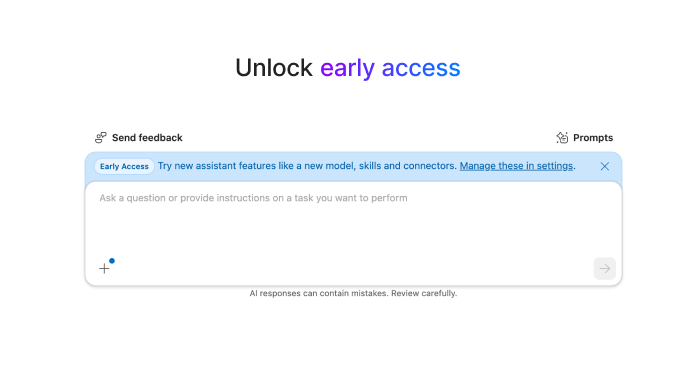
After your admin gives you access, you will see a blue banner that says "Early Access." Click "Manage these in settings" located in that banner. Any time after, click "Settings" in the bottom left corner.
2

Use the Early Access toggle

Choose Early Access and toggle it on (blue) or off. The setting applies only to you and does not change the Assistant for anyone else in your firm.
3

Check the interface

The whole interface updates when you switch. If you switch off Early Access while a chat is open, you return to a new chat.

How Early Access works

Features you will see

You see only the features your admin has turned on, and only while Early Access is on. Web search is currently available.

Previous chats

When Early Access is turned on, your previous chats are in standard mode. They show a lock icon and cannot be continued until you switch back to standard.

New Early Access chats

Chats you create in Early Access show a lock icon in standard mode. Switch back to Early Access to continue them.

Shared threads

Thread sharing follows the same rule, so the person you share with must be in the matching mode to open the thread.

Share your feedback

You can send feedback from inside the Assistant. NetDocuments never sees the content of your queries or conversations.

Features in the Early Access Channel are exploratory and can change at any time.

Expert Office Hours

mondays
8am PST / 11am EST
wednesdays
12pm PST / 3pm EST
Sign up

Learn more

Read the full Early Access Channel article in the NetDocuments Support Center.
Read the article