All Resources

Prompting 101

Prompting 101: How to Get Better Results from the Legal AI Assistant

Many legal professionals approach AI with a simple prompt like:

Summarize this contract.

While this will produce a response, it often won't produce the response you actually need.

The difference between average AI results and valuable AI results is usually the quality of the prompt.

Think Like You're Ordering Coffee

A useful way to think about prompting is to imagine ordering coffee.

If you walk into a coffee shop and ask for "a coffee," you'll get something generic. If you ask for a half-sweet caramel macchiato with an extra shot of espresso, you'll get exactly what you wanted.

AI works the same way.

The more specific you are about the task, the context, and the desired output, the more useful the result will be.

Good prompting helps:

  • Reduce back-and-forth revisions
  • Minimize misunderstandings
  • Improve the quality of first drafts
  • Produce more relevant legal analysis

The ACE Framework

NetDocuments recommends a simple prompting framework called ACE:

A: Action

Tell the assistant exactly what you want it to do.

Examples:

  • Summarize
  • Compare
  • Identify
  • Rewrite
  • Analyze

Use clear verbs that describe the task.

C: Context

Provide background information that helps the assistant understand the situation.

Examples:

  • What type of document is being reviewed
  • Who the client is
  • Your role in the matter
  • What concerns are most important

The assistant performs significantly better when it understands why you're asking the question.

E: Expectation

Describe the format or style you want returned.

Examples:

  • Bullet points
  • Narrative summary
  • Table
  • Numbered list
  • Client-facing language
  • Detailed analysis

The assistant can only produce the format you ask for.

From Generic to Useful

Consider these two prompts:

Basic Prompt

Summarize this contract.

The assistant will generate a generic overview of the document.

Improved Prompt

You are reviewing a reseller agreement on behalf of a client who is a party to the contract. Summarize this agreement for a transactional associate joining the matter. Identify the key obligations of each party and note any deadlines, notice requirements, or termination triggers. Format the output as a bulleted list organized by topic.

The second prompt provides:

  • A clear action
  • Relevant context
  • A defined audience
  • A specified output format

As a result, the summary becomes far more useful and actionable.

Use Role Context to Improve Every Prompt

The Legal AI Assistant allows users to save information about:

  • Their role
  • Practice area
  • Typical clients
  • Strategic priorities

For example:

I am a litigation attorney representing clients in disputes. Focus on risk, inconsistencies, deadlines, and anything that could affect case strategy.

Once configured, the assistant uses this context automatically in future conversations.

This allows responses to be tailored to the way you practice without requiring you to repeat the same information in every prompt.

A Practical Litigation Example

Instead of asking:

Review these depositions.

Try:

Review the deposition transcripts and identify the witnesses' key claims, any inconsistencies in their testimony, and anything that conflicts with the facts in our complaint. Format the output as a bulleted list organized by topic.

Combined with a litigation-focused role profile, the assistant can surface:

  • Key witness claims
  • Contradictions
  • Potential weaknesses
  • Possible defense strategies

The result is much closer to the analysis a lawyer actually needs.

Prompting Best Practices

Do

  • Focus on one or two tasks per prompt
  • Specify the audience
  • Define the output format
  • Save frequently used prompts
  • Create role context settings
  • Verify responses using citations

Don't

  • Expect great results from vague prompts
  • Load every document in a matter when only a few are relevant
  • Assume the first answer is always the best answer
  • Skip citation review

Build a Prompt Library

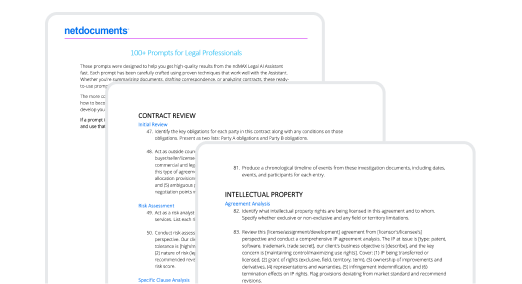
One of the most valuable features of the Legal AI Assistant is the ability to save prompts.

Users can maintain personal prompt libraries, while repository administrators can create team-wide prompt libraries available across the firm.

Common reusable prompts include:

  • Matter summaries
  • Contract reviews
  • Deposition analysis
  • Risk identification
  • Timeline generation
  • Client update drafts

Over time, a good prompt library becomes a significant productivity asset.

Trust, But Verify

The Legal AI Assistant is grounded in the documents you provide, not broad internet searches. However, AI-generated outputs should still be reviewed.

Every response includes citations back to the source documents. Reviewing those citations allows attorneys to validate findings, confirm accuracy, and maintain confidence in the results.

Key Takeaway

Most AI failures are actually prompting failures.

The strongest prompts provide a clear action, meaningful context, and a defined expectation. By using the ACE framework, configuring role context, and building a library of reusable prompts, legal professionals can consistently generate more accurate, relevant, and useful results from the Legal AI Assistant.

This is some text inside of a div block.