
Getting Your First Legal App
Get a ready-built app into your own cabinet in about half an hour, mapped to the right data the first time.


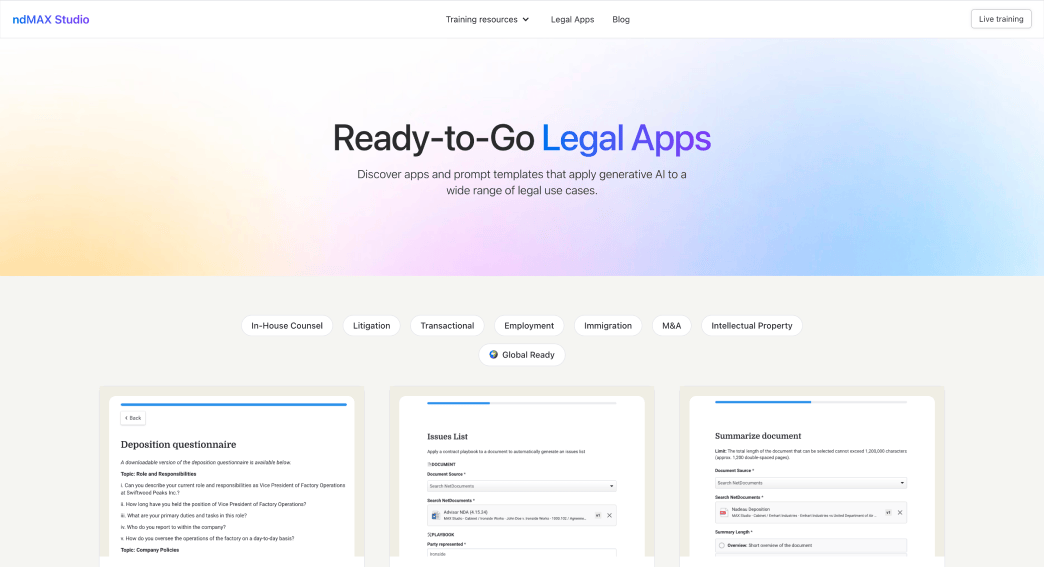
Legal Apps is a library of complete PatternBuilder apps. Prompts, questions, templates, and data tables arrive already assembled, built by NetDocuments. You browse the library, download an app, import it, and it runs in your environment.
This lesson takes you from the library to an app sitting in your own cabinet. Set aside 20 to 30 minutes for your first one.
The catalog spans twelve practice areas. It ranges from small utilities like Summarize and Prompt Generator to full workflows like NDA Analyzer, Motion Drafter, and Judge Analytics.
Each app arrives as a normal PatternBuilder app. Nothing is read-only. You can open it, read every prompt, change any field, and reshape the output. Most firms run an app as it comes for a week, then start tailoring it.
Start with Summarize if this is your first import. It needs almost no configuration, and it proves the mechanics on an app where a mistake costs nothing. Save the data-driven apps for after your first success: Judge Analytics, Arbitrator Analysis, and Vendor Contracts Management.
Foreground apps are interactive. A user opens the app, answers questions, picks documents, and gets output. Most of the library works this way.
Background apps run on their own, with nothing on screen. They start when new information lands in a data table, and they run once for each new entry. Because nobody is signed in to watch, they run under a service account instead. Sort that out before you begin, not partway through an import.
Confirm five things:
An app package is sealed when it is built, and the importer checks that seal before it will accept the file. Unzipping and re-saving breaks the seal even when you change nothing inside, and the import then fails with an error that does not explain itself.
Hand the file to the importer exactly as it downloaded. If you want to see what is inside, import the app first and read it in the builder, where changing things is the whole point.

Running two versions side by side? Rename the app and every one of its data tables on import. Renaming only some of them leaves a set that looks shared but is not, and that will mislead someone later.
Get a ready-built app into your own cabinet in about half an hour, mapped to the right data the first time.


